Pavement and geotechnical test evidence software

Test evidence you can see, trust, and act on

Testbed helps roading and infrastructure teams turn scattered test reports into structured evidence that can be checked, assessed against project criteria, and mapped to alignment, chainage, layer and location.

  • Extract key values from test reports
  • Apply and adjust pass/fail criteria
  • Map results, retests and issues to the work
  • Spot patterns before they become expensive rework
Conceptual evidence view Alignment A03 / Pavement Layer
Review support
Chainage Test Layer Result
1,240m Density Basecourse Pass
1,410m Scala Subgrade Review
1,590m Compaction Fill Fail

The problem

The evidence exists. The hard part is using it in time.

01

Finding the right evidence takes too long

Test results are often spread across lab sheets, scanned reports, PDFs, spreadsheets and project folders. The information may exist, but finding the right result, version, location or supporting detail takes more effort than it should.

02

Results are separated from the work

A pass or fail result only tells part of the story. To understand what it means, teams need the location, chainage, layer, test type, criteria, adjacent results, timing and retest history.

03

Failures, fixes and retests are hard to follow

Once work moves on, it can be difficult to trace what failed, what was remediated, what was retested and whether the issue was closed out. The evidence trail may be there, but the sequence is not always clear.

04

Reviews become manual evidence hunts

Contractors, engineers, asset owners and maintenance teams all rely on the same evidence for different decisions. When that evidence is scattered, every review, handover, dispute or later investigation takes longer than it should.

How it works

From scattered reports to structured test evidence.

  1. 1

    Structure

    Upload reports and extract key values into structured evidence your team can check.

  2. 2

    Evaluate

    Apply or adjust the criteria used to assess pass, fail and review status.

  3. 3

    Map

    Place results against alignment, chainage, layer, section and location.

  4. 4

    Interrogate and iterate

    Filter the evidence, test different criteria, review retests and understand whether an issue is isolated or part of a wider pattern.

Product walkthrough

Watch a test report move from buried document to mapped evidence.

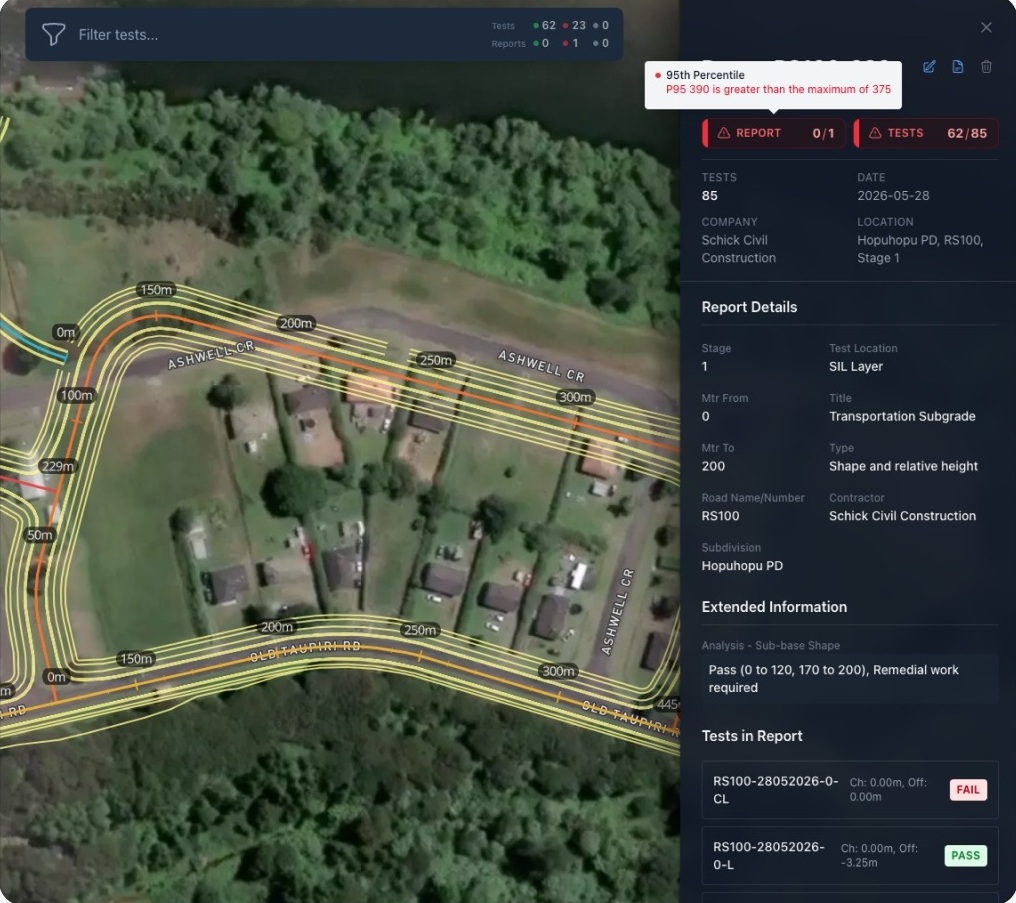
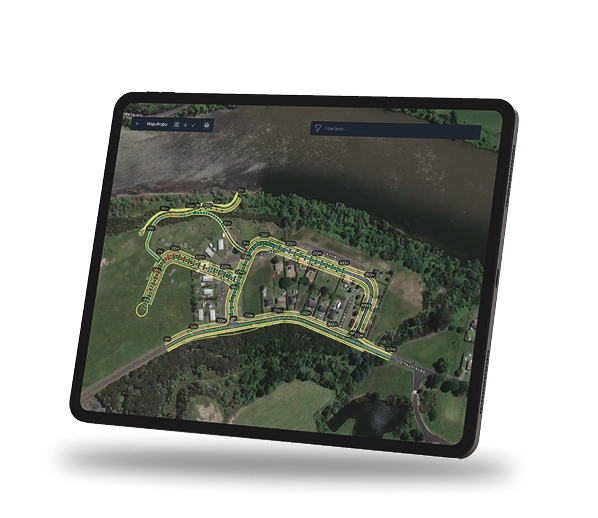
This walkthrough shows how Testbed extracts key values, applies project criteria, and places results against alignment, chainage and layer so teams can review test evidence with the context around it.

What is Testbed?

Testbed brings reports, criteria, location and retest history into one reviewable evidence trail.

Reports can be uploaded, values extracted, criteria applied or adjusted, and results mapped back to the work. Teams can then review what passed, what failed, what needs attention and what happened after remediation.

What teams can check, adjust and trace

Practical tools for reviewing test evidence.

Testbed focuses on the practical steps between receiving test reports and understanding what the evidence says about the project.

Report extraction and verification

Use AI to extract and structure key values from PDFs and scanned reports, then check the information before it is used.

Project-specific criteria

Set or adjust the rules used to assess results by test type, layer, section, alignment or project requirement.

Pass, fail and review visibility

See which results meet the criteria, which do not, and which need further attention.

Alignment and chainage mapping

View test results against the road alignment so issue locations are easier to understand.

Filtering by the details that matter

Filter evidence by test type, layer, chainage, alignment, section, result status or extracted fields.

Retest and remediation history

Track what failed, what was fixed, what was retested and whether the issue appears to be closed out.

Road alignment visibility

See whether a failed result is isolated or part of a pattern.

A failed result is more useful when teams can see where it sits in relation to the road, the layer, the section and the surrounding evidence.

Testbed is designed to help teams move from isolated test records to a clearer project-level view of quality evidence.

Test type: Scala Layer: Subgrade Chainage: 1,200m–1,700m
42 Tests reviewed
35 Passing
5 Review
2 Failing

Example only. Final project evidence remains subject to engineering review and verification.

Who it is for

Built for the teams who prove, assess, trust and diagnose roading test evidence.

Testbed is built for the people who rely on pavement and geotechnical test evidence during delivery, review, handover and future maintenance.

Engineers

Review test evidence in context, without rebuilding the story manually across reports, sections, layers and retest history.

Contractors

Prove what was tested, where it was tested, whether it met specification, and what happened after any failed result.

Quality and compliance teams

Track pass, fail and review status across reports, sections and layers so issues can be followed through to close-out.

Maintenance teams

Understand what was built, what was tested and what was remediated when issues appear later.

Asset owners and councils

Receive a clearer evidence trail behind the completed work, not just a folder of reports at handover.

Designed for careful review

Testbed supports the call.  It does not make it.  

Testbed gives teams a clearer way to review test evidence across location, layer, chainage, criteria, adjacent results and retest history.

It helps show what passed, what failed and what may need follow-up, while keeping the judgement with the engineers and project teams responsible for the work.

FAQ

Common questions about how Testbed works.   

What is Testbed?

Testbed is a visualised assessment platform for roading and infrastructure teams that turns scattered pavement and geotechnical test reports into structured, mapped evidence. It lets teams extract results, set or adjust the criteria used to assess pass/fail status, and test different scenarios so they can see how changes affect the evidence before making an engineering call.

Who is Testbed for?

Testbed is for teams who review, prove and rely on roading test evidence. That includes engineers, contractors, quality teams, maintenance teams, asset owners and councils who need to see what was tested, where it was tested, whether it passed, and what happened next.

Does testbed remove the need for an engineering review?

No. Testbed supports engineering review by making evidence easier to find, check, compare and understand. It allows engineers to modify test criterion to determine the immediate pass or  fail impact based on the needs of the project. It does not replace qualified engineering judgement.

Does Testbed make automatic compliance decisions?

Testbed helps teams review evidence against the criteria they define. It helps show what passed, what failed and what may need follow-up, while keeping the judgement with the engineers and project teams responsible for the work.

Can results be mapped to the road alignment?

Yes. A key purpose of Testbed is to help teams see where results and issues are appearing in relation to the road alignment, section, layer and surrounding evidence.

Can teams define their own pass/fail criteria?

Yes. Engineers can define the criteria that matter for each test, layer, section, alignment or project requirement.

Can Testbed help with retesting and remedial work visibility?

Yes. Testbed is designed to help teams track whether later testing and remedial work have resolved the original issue or whether further attention is needed.

How do I book a demo?

Use the form below and the Testbed team will contact you about a product walkthrough.

Book a demo

See Testbed turn reports into mapped evidence.

Book a walkthrough of report upload, criteria review, mapped results and retest history.

Report upload Criteria review Pass/fail visibility Road alignment mapping

Request a product walkthrough

Submit your details and we’ll contact you about a product walkthrough. Your information will only be used to respond to your enquiry.